
Jomatter
Free tools for HTML, CSS, and JavaScript coding.
- All time
- — views
- — clicks
- Last 30 days
- — views
- — clicks
Loading activity…
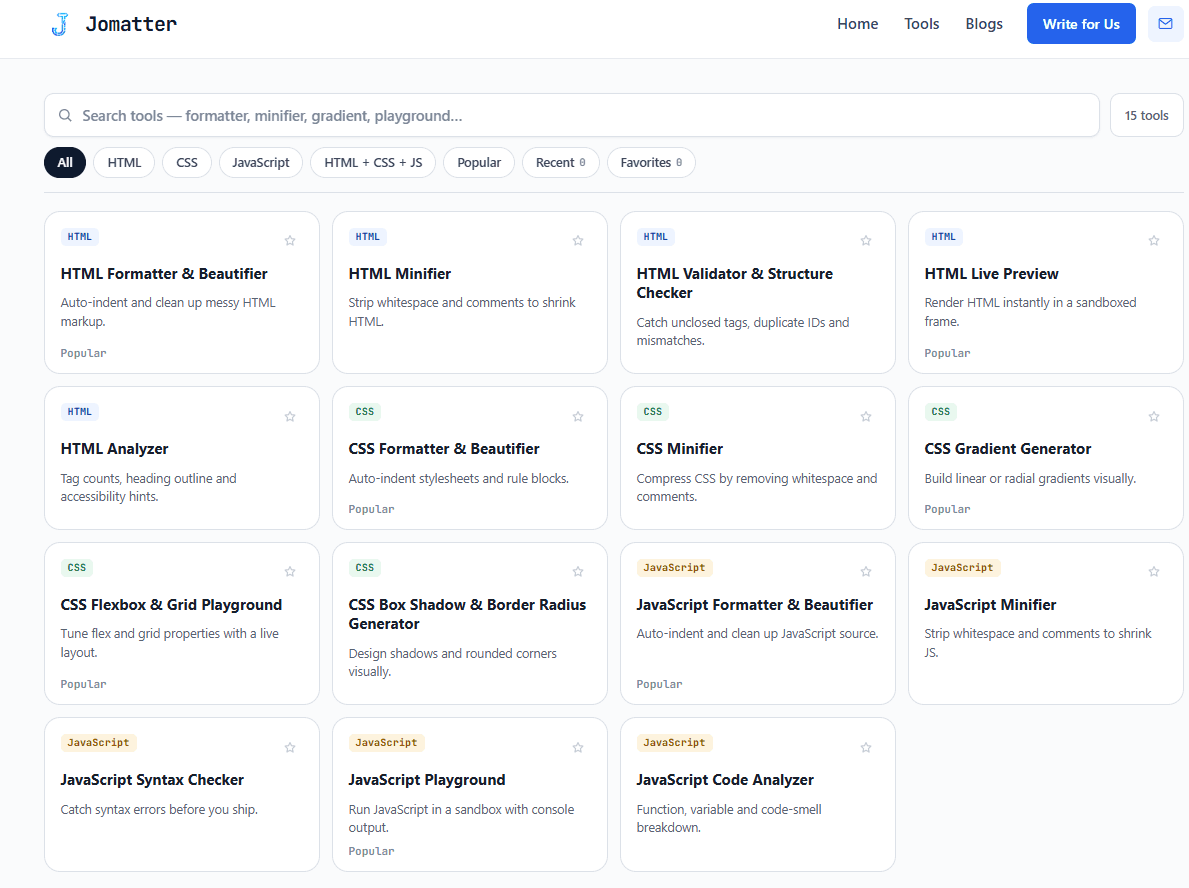
What is Jomatter?
Key Features
Code formatting for better readability
Minification to reduce file size
Validation checks for code errors
Code generation tools
No signup needed for usage
Use Cases
- Format chaotic code for better readability
- Minify CSS files for faster load times
- Validate HTML and CSS for standards compliance
- Generate templates from scratch
- Analyze JavaScript for performance issues
How to Use Jomatter
- 1Visit the Jomatter website
- 2Choose a specific tool for your needs
- 3Paste your code into the provided text area
- 4Apply modifications and download the result
Best For
FAQ
Is Jomatter free to use?
Yes, Jomatter is completely free and does not require any payment.
Do I need to sign up to use Jomatter?
No, there is no need to sign up; you can use the tools directly from the website.
What programming languages does Jomatter support?
Jomatter supports HTML, CSS, and JavaScript.
Can I use Jomatter on mobile devices?
While it's optimized for desktop, Jomatter can also be accessed via mobile browsers.
Quick Info

Related Tools
More active tools in Developer Tools.

AutoLocalise
Skip translation files & complex setups. AI auto-translates with context and learns from manual updates. Real-time updates, support 100+ languages for React, Python, Next.js & React Native.

CC Switch
Desktop control center for switching providers and managing configs across AI coding tools.