
agentskills.cc
Discover agent skills for Claude Code, Codex, Cursor, and more.
- All time
- — views
- — clicks
- Last 30 days
- — views
- — clicks
Loading activity…
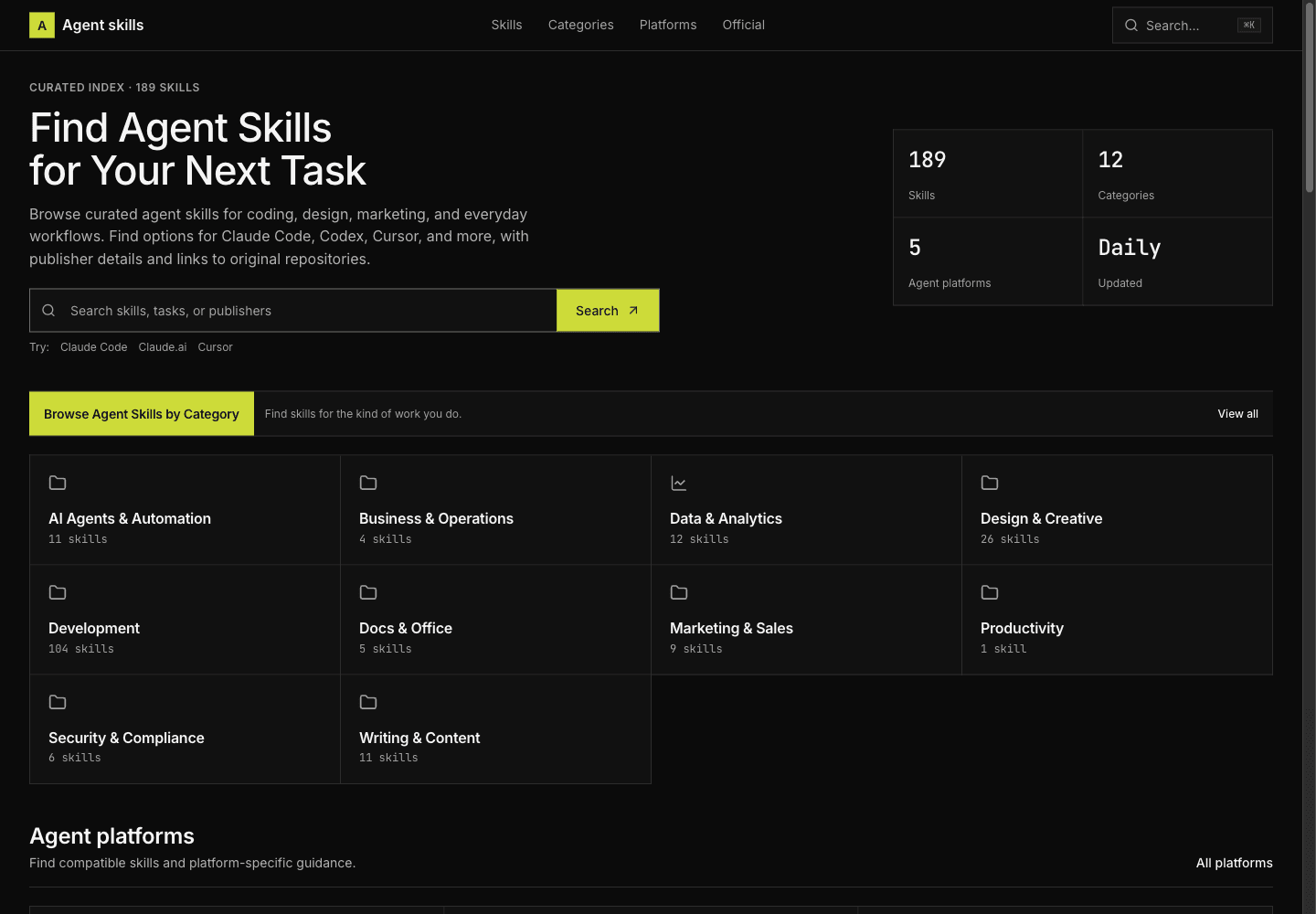
What is agentskills.cc?
Key Features
Task-Based Skill Discovery: Browse categories covering development, design, marketing, data analysis, writing, and other workflows to find skills relevant to a specific task.
Platform-Specific Browsing: Explore skills listed for Claude Code, OpenAI Codex, Cursor, GitHub Copilot, and Claude.ai, then check each listing for compatibility details.
Detailed Skill Profiles: Review a skill’s purpose, required inputs, expected outputs, prerequisites, and workflow before deciding whether it fits your needs.
Publisher and Source Links: Check publisher information and follow links to original repositories to inspect instructions, supporting files, and licensing.
Installation and Learning Resources: Read listing-specific setup guidance alongside practical articles about SKILL.md files, installation, evaluation, and security.
Use Cases
- Find debugging and testing workflows for an AI coding assistant.
- Discover code review and architecture skills for a development project.
- Explore design, copywriting, and content planning skills for product work.
- Check a skill’s inputs, requirements, and platform fit before installation.
- Learn how to inspect, install, and evaluate third-party agent skills.
How to Use agentskills.cc
- 1Search for a specific task or browse a relevant skill category.
- 2Narrow your options using platform pages or publisher information.
- 3Open a skill listing and review its purpose, inputs, outputs, and requirements.
- 4Follow the source link to inspect the original instructions, license, dependencies, and permissions.
- 5Follow the appropriate installation instructions for your assistant, then test the skill on a small, non-sensitive task.
Best For
FAQ
What is agentskills.cc?
agentskills.cc is a curated directory of agent skills. It helps users discover task-specific workflows, check platform compatibility, review publisher details, and access original repositories.
Which AI assistants does agentskills.cc cover?
The directory includes platform pages for Claude Code, OpenAI Codex, Cursor, GitHub Copilot, and Claude.ai. Compatibility varies by skill, so check the individual listing and upstream documentation before installation.
Can I run agent skills directly on agentskills.cc?
agentskills.cc provides discovery, skill information, and installation guidance. Skills are used within a compatible assistant or agent environment rather than executed by the directory itself.
What should I check before installing a skill?
Review the original instructions, publisher, license, dependencies, and requested permissions. Confirm that the skill fits your platform and task, and test unfamiliar skills in an environment without sensitive data.
Does a listing guarantee that a skill is safe?
No. A directory listing or recognizable publisher does not guarantee that a skill is suitable or safe for your environment. Inspect the source and evaluate its behavior before granting access to files, commands, credentials, or external services.
Quick Info

Related Tools
More active tools in Developer Tools.
AutoLocalise
Skip translation files & complex setups. AI auto-translates with context and learns from manual updates. Real-time updates, support 100+ languages for React, Python, Next.js & React Native.