
SpriteGen
Generate pixel-art sprite sheets for games with AI
- All time
- — views
- — clicks
- Last 30 days
- — views
- — clicks
Loading activity…
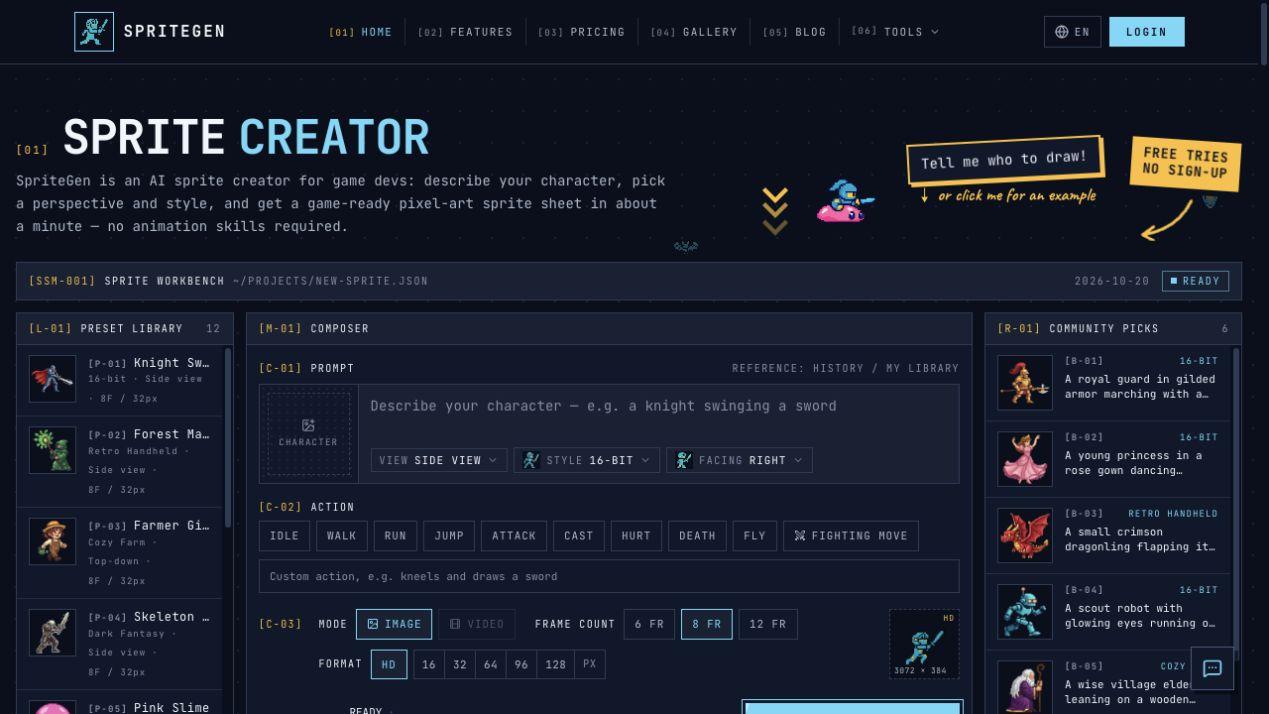
AI pixel-art sprite-sheet generation from text prompts
Selectable character actions and visual styles and perspectives
Animation preview and transparent PNG export
Free manual pixel-art editor with onion-skin preview
GIF conversion and existing-frame arrangement
- Create character and action concepts for an indie game prototype
- Generate sprite-sheet variations before selecting game assets
- Edit existing pixel-art animation frames manually
- Convert an animated GIF into a transparent PNG sprite sheet
- 1Open spritegen.ai and describe a character and action
- 2Select a perspective
- 3visual style
- 4and frame settings
- 5Generate and review the animation preview
Is SpriteGen completely free?
AI generation offers free tries, then uses paid credits. Manual editing and conversion utilities are free.
What can I export?
Transparent PNG sprite sheets; the manual editor also supports individual PNG images and GIF animations.
Can I edit existing pixel art?
Yes, use the free browser-based pixel-art editor to edit frames and preview animations.

Related Tools
More active tools in AI Tools.
Banana AI
Banana AI is a free AI image and video generation platform. Transform photos, create cinematic videos, apply styles, background removal, and restoration—fast and easy.

BG Remove Pro
Remove backgrounds from images instantly with our free AI tool. Get perfect transparent backgrounds in seconds - no signup required. Supports JPG, PNG, WebP formats.

Editimg AI
Transform your images with Editimg AI, the most advanced ai image editor. Edit photos online with AI-powered tools for style transfer, background removal, object replacement, and more.

Professional Headshot AI
Professional Headshot AI helps users create realistic AI professional headshots from uploaded photos. The workflow is built for producing studio-quality profile images that still look like the person, with style selection and fast turnaround.

