- All time
- — views
- — clicks
- Last 30 days
- — views
- — clicks
Loading activity…
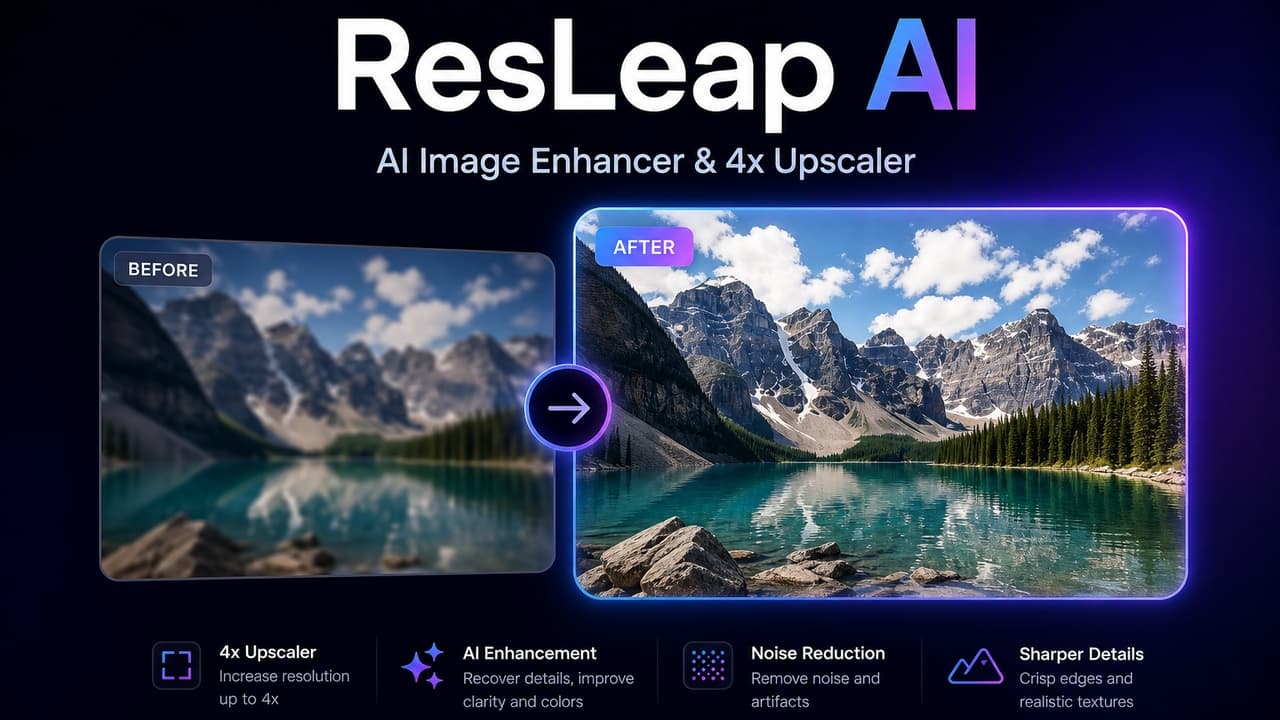
Upscale images up to 4x
4K ultra resolution output
Supports multiple image formats
User-friendly interface
Batch processing capabilities
- Enhancing personal photos
- Upscaling product images for e-commerce
- Restoring family memories
- Sharpening images for social media posts
- Improving graphic designs
- 1Sign up or log into your account for free credits
- 2Upload the image you wish to enhance
- 3Select the desired upscale resolution and options
- 4Process the image and download the results
- 5Explore batch processing for multiple images
Is ResLeap AI free?
Every user receives 10 free credits per month. After that, a subscription or purchase of credits is required.
How many credits does it cost to generate an image?
Two credits are deducted for each successfully processed image; if processing fails, no credits are deducted.
What image formats do you support?
We support image formats including JPG, JPEG, PNG, WEBP.
Is the payment service secure?
Our payment process is secure, utilizing Stripe for transactions.
Is there a limit on image file size?
Users can upload images up to 20MB.

Related Tools
More active tools in AI Tools.
Banana AI
Banana AI is a free AI image and video generation platform. Transform photos, create cinematic videos, apply styles, background removal, and restoration—fast and easy.

BG Remove Pro
Remove backgrounds from images instantly with our free AI tool. Get perfect transparent backgrounds in seconds - no signup required. Supports JPG, PNG, WebP formats.

Wan 2.6 AI Video Generator | JXP
DealWan 2.6 generates AI videos from text or images with multi-shot storytelling, reference video control, and native audio sync.

Editimg AI
Transform your images with Editimg AI, the most advanced ai image editor. Edit photos online with AI-powered tools for style transfer, background removal, object replacement, and more.