
RAL Color Analyzer
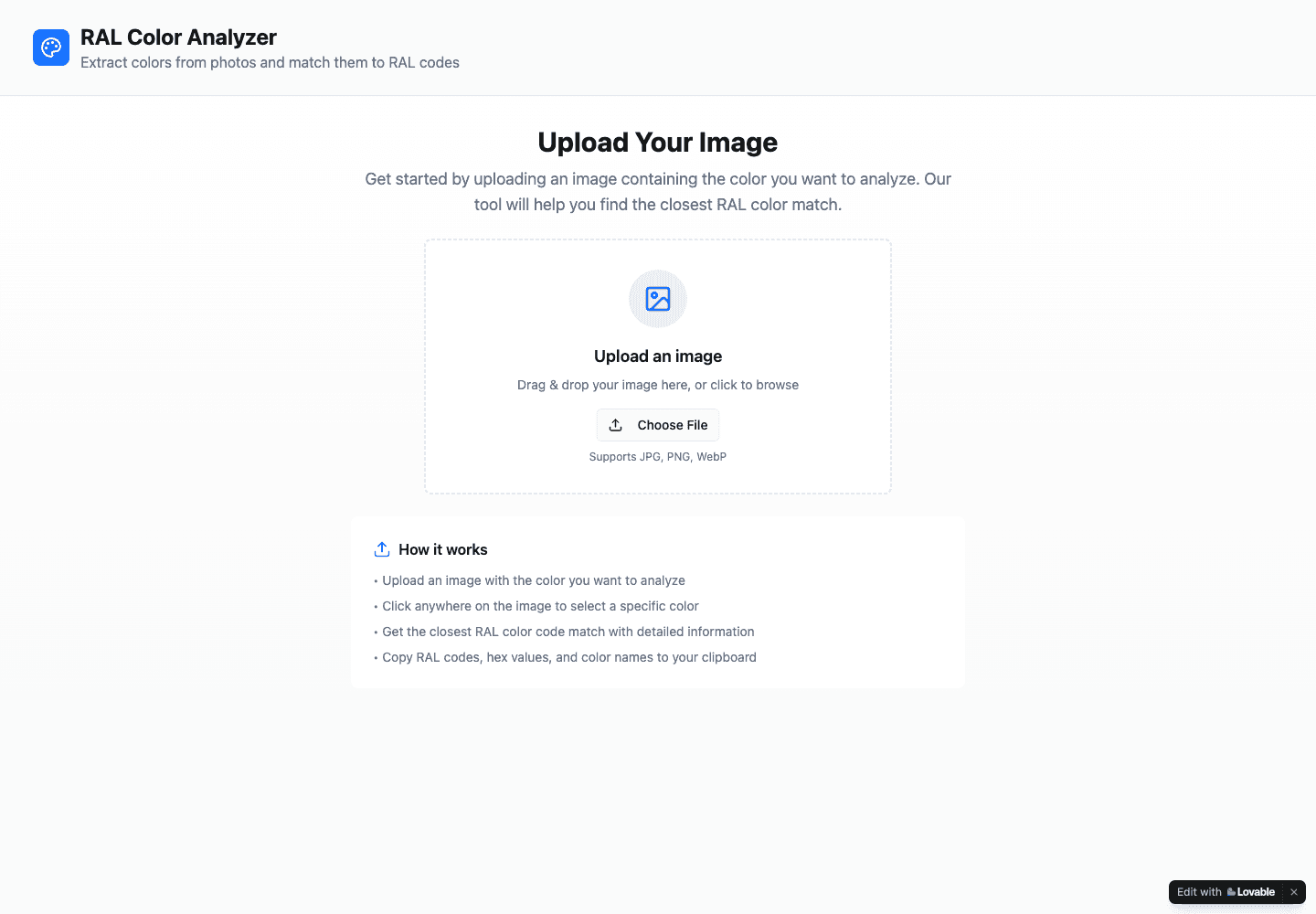
Sample a color from an image and find the nearest displayed RAL code, name, and HEX value.
- All time
- — views
- — clicks
- Last 30 days
- — views
- — clicks
Loading activity…
What is RAL Color Analyzer?
Key Features
Image chooser supporting JPG, PNG, and WebP
Interactive canvas for selecting a color from a photo
Sampled HEX color displayed beside the suggested RAL match
RAL code, color name, HEX, and RGB result information
Controls for changing the image and copying color references
Use Cases
- Find a possible RAL reference for a photographed object
- Discuss paint-color ideas with a designer or supplier
- Compare sampled image colors with named RAL suggestions
How to Use RAL Color Analyzer
- 1Upload a JPG, PNG, or WebP image that you may use
- 2Click the part of the image whose color you want to inspect
- 3Review the sampled HEX and the suggested RAL code, name, and RGB values
- 4Copy the useful references and confirm the physical color independently
Best For
FAQ
How do I find a RAL colour from a photo?
Upload an image and click a point on the displayed canvas. The tool presents its closest RAL suggestion with code, name, and color values.
Which image formats are supported?
The upload screen lists JPG, PNG, and WebP. A PNG was used in the basic functional check.
Is the suggested RAL color guaranteed exact?
No exact physical match was established. Use the result as a reference and compare an actual swatch before making a paint decision.
Is an account or payment required?
The checked upload-and-select workflow worked without signing in. Pricing was not explicitly stated, so this listing keeps the pricing model unknown.
What information appears in the result?
The checked result included a selected HEX color, a RAL match, RAL code, color name, and RGB values. The page also describes copying these references.
Tags
Quick Info

Related Tools
More active tools in Design.
All SVG Icons
Browse and download 250,000+ free SVG icons for your projects that are free to use and customizable. Copy Raw SVG code or download as PNG, SVG, JSX or Base64 formats. Alternative of Flaticon, Iconmonstr, SVG Repo.

pngtocur
Convert PNG to Windows cursor files instantly. Free tool to create custom .cur & .ani cursors. Upload, preview & download - no software needed.

QuickDuck Coloring Pages
Download free printable coloring pages for kids and adults. Choose from animals, cartoons, holidays, unicorns, dinosaurs, and more. Easy-to-print PDF coloring sheets. 100% free, no sign-up required.

Design Tool Mark
DesignToolMark is your trusted guide to the best design tools and resources. Discover our hand-picked directory of UI kits, icon libraries, fonts, AI tools, and more. Stop searching, start creating.

