Photo Enhancer
Enhance your images' clarity with AI-driven technology.
- All time
- — views
- — clicks
- Last 30 days
- — views
- — clicks
Loading activity…
What is Photo Enhancer?
Key Features
AI-driven enhancement for various image types
Supports JPG, PNG, and WebP formats
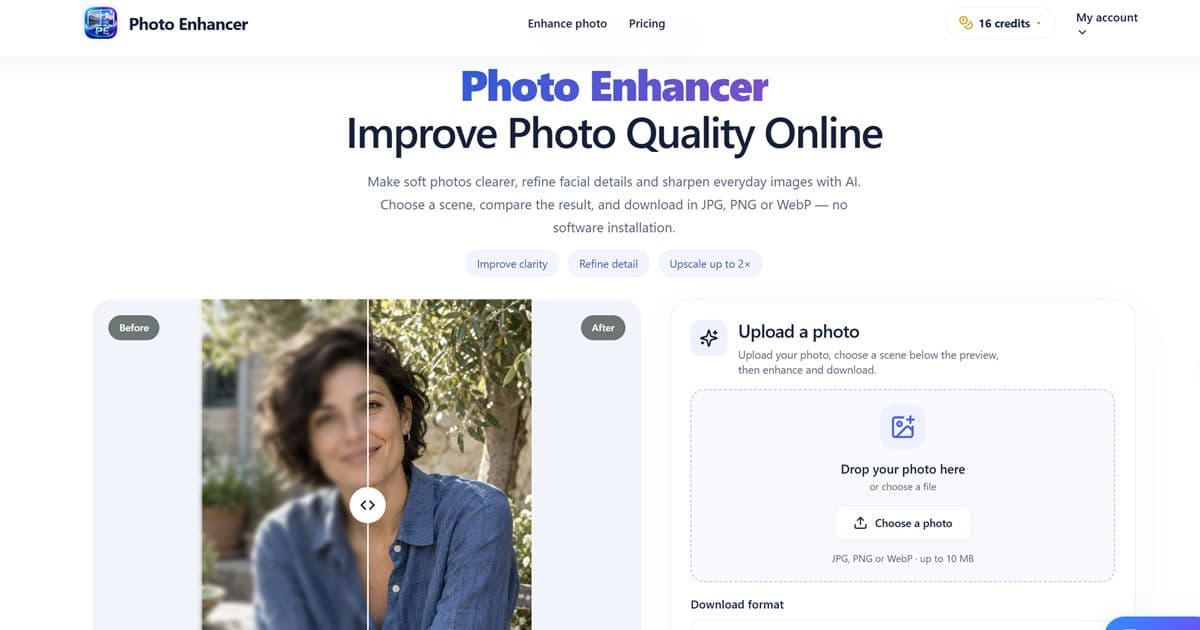
Side-by-side comparison of original and enhanced images
Option to upscale images up to 2x
Temporary image storage for privacy
Use Cases
- Improving personal photographs for social media
- Enhancing product images for e-commerce
- Restoring faded family memories
- Sharpening text for better readability in scans
- Preparing images for advertising campaigns
How to Use Photo Enhancer
- 1Upload your photo in JPG, PNG, or WebP format.
- 2Select a scene type (e.g., Portrait, Object).
- 3Compare the original and enhanced images using the slider.
- 4Download the enhanced image in your preferred format.
Best For
FAQ
What formats can I upload for enhancement?
You can upload images in JPG, PNG, or WebP formats.
How long are my images stored?
Guest images expire after one day, while signed-in results last seven days.
Is there a cost associated with using Photo Enhancer?
Yes, there is a limited free enhancement daily, and additional enhancements require credits.
Can I compare original and enhanced images?
Yes, the tool provides a side-by-side comparison feature.
Does this work without an account?
Yes, you can use some features without creating an account.
Quick Info

Related Tools
More active tools in AI Tools.
BG Remove Pro
Remove backgrounds from images instantly with our free AI tool. Get perfect transparent backgrounds in seconds - no signup required. Supports JPG, PNG, WebP formats.

Kirkify - Charlie Kirk Face Swap AI
Kirkify - The ultimate Charlie Kirk face swap AI tool. Free Charlie Kirk face swap AI. Transform any photo into hilarious memes instantly.

AI Raphael
Generate and edit images for free with AI Raphael, the Raphael AI workspace powered by Nano Banana Pro and GPT Image 2. Create consistent characters, edit photos, and produce professional visuals online.

Banana Pro
Banana Pro AI is a free AI image editor, generator, and video creator. Use our intuitive AI Canvas workflow for seamless editing and creation. Sign up for free to start creating!