
Online Clipboard
Free online clipboard for sharing text and files securely.
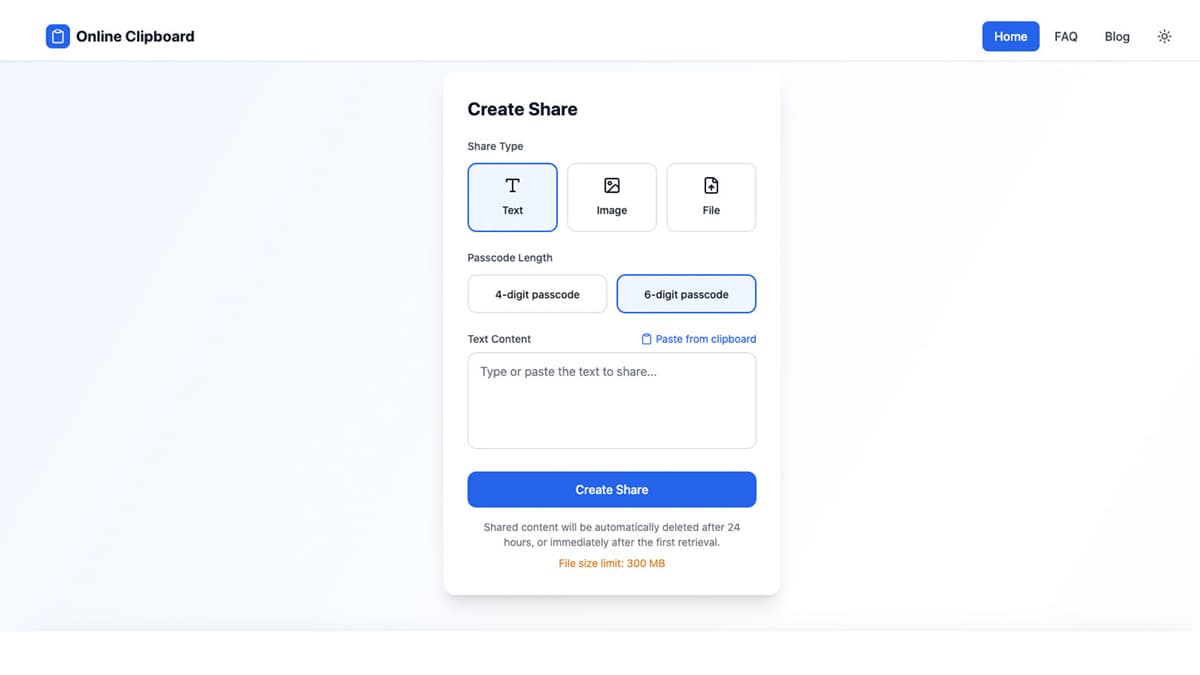
No account creation required
Self-destructing links for privacy
Supports files up to 300 MB
Compatible with any modern browser
24-hour expiration for security
- Quick sharing of text notes between devices
- Transferring images or files during meetings
- Sending temporary files to colleagues
- Using it as a backup clipboard for mobile browsers
- Sharing snippets of code or URLs
- 1Choose the content type: text, image, or file.
- 2Paste text or upload your desired file (max 300 MB).
- 3Select a passcode length for secure sharing (4 or 6 digits).
- 4Generate a share link and distribute it to the recipient.
- 5The content will be available for up to 24 hours or until retrieved.
Is there a file size limit for uploads?
Yes, the maximum file upload size is 300 MB.
Do I need to create an account to use Online Clipboard?
No, you can use the tool without creating an account.
How long does a shared link remain active?
Shared links expire after 24 hours or after the first successful retrieval.
Is it secure to use Online Clipboard for sensitive information?
It is not recommended to share sensitive information, as links can be accessed by anyone who receives them.

Related Tools
More active tools in Productivity.

RemoveMark
DealFree online tool to remove watermarks from Sora videos instantly. Works without downloads. Remove sora 2 watermark with the best video tool available.

SpeedyShare
Upload a file, share the QR code or 6-digit link — done in seconds. No account, no app. Files auto-delete after 30 minutes. iPhone, Android, Mac, Windows.

SpeedyShare - Easy, free file sharing
Upload a file, share the QR code or 6-digit link — done in seconds. No account, no app. Files auto-delete after 30 minutes. iPhone, Android, Mac, Windows.

keywordranker
Dealkeywordranker is a keyword research tool centered on a free KGR calculator. It helps SEO users analyze long-tail keywords, estimate low-competition opportunities, and understand Keyword Golden Ratio strategy with supporting SEO metrics.

