
Fontiq
Preview and copy Unicode text styles for bios, usernames, and more.
- All time
- — views
- — clicks
- Last 30 days
- — views
- — clicks
Loading activity…
What is Fontiq?
Key Features
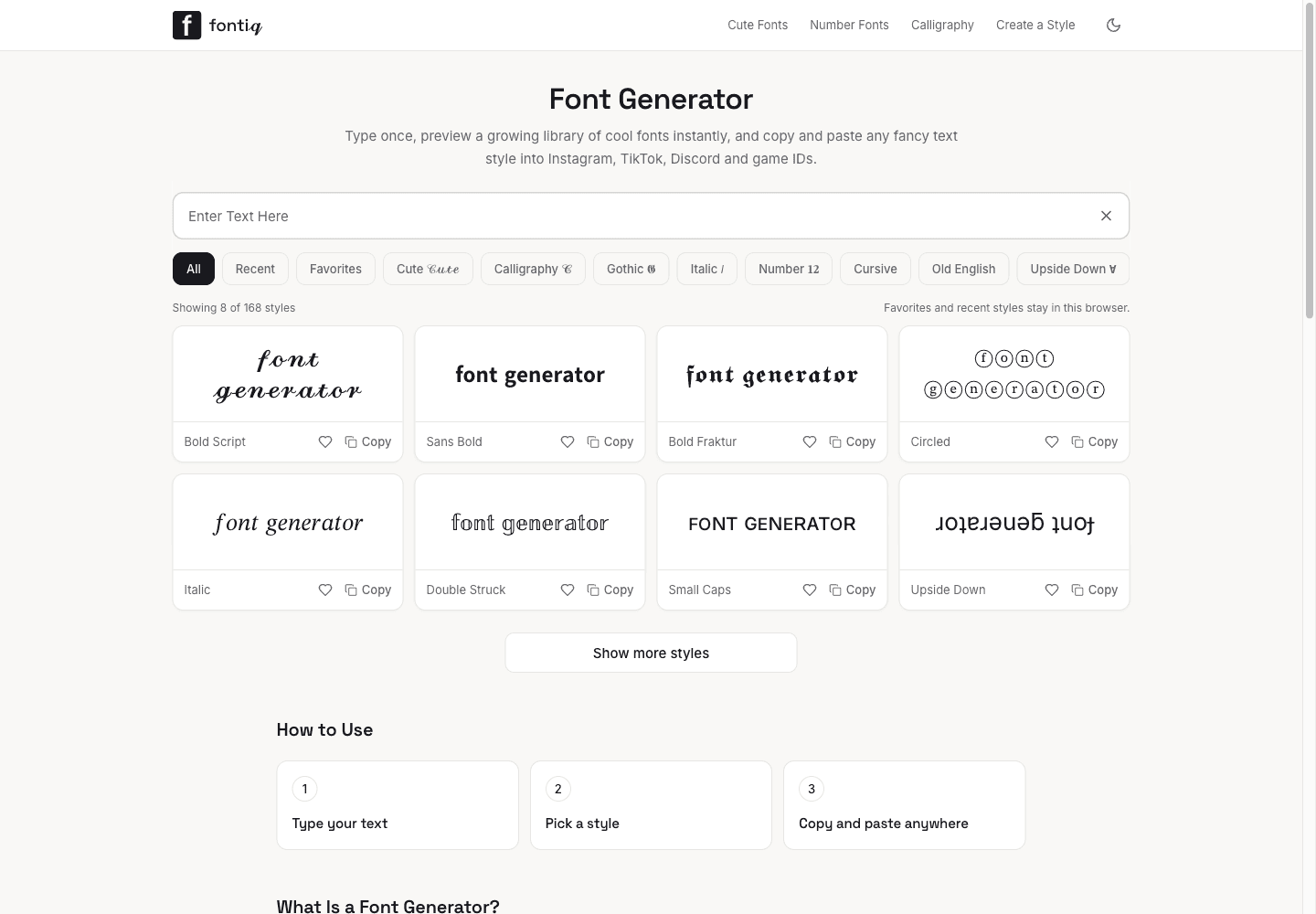
Live style previews: Type once and preview the text in multiple decorative styles before copying.
A broad style library: Browse styles including script, bold, gothic, italic, small caps, circled, and upside-down text. The homepage lists 168 styles, with 8 displayed initially.
Copy-and-paste output: Copy decorative Unicode text for compatible text fields without downloading or installing a font.
Style-specific pages: Explore focused collections such as Gothic, Calligraphy, Cursive, and Number Fonts.
Character tables on selected style pages: Inspect Unicode mappings and character coverage where a style page provides a table.
Browser-based saved preferences: Keep favorites and recent styles in the browser. Fontiq says these preferences are stored locally.
Use Cases
- Create a short decorative line for a social media bio.
- Preview Unicode styles for a username or game display name.
- Compare character coverage before using a style in a destination app.
- Save favorite and recent styles in the browser for later use.
How to Use Fontiq
- 1Open Fontiq and type the text you want to style.
- 2Preview the available styles and choose one that fits your use.
- 3Copy the result and paste it into the destination app.
- 4Check the pasted text in that app and on the devices that matter to you.
- 5Use plain text instead if the decorative characters are difficult to read or do not display correctly.
Best For
FAQ
Is Fontiq a font download site?
No. Fontiq converts text into decorative Unicode characters. It does not provide font files to install. For a logo or design that needs consistent typography, use a design tool with an actual font file and check its licensing terms.
Is Fontiq free?
The public generator is free to use, and the site says no account is required.
Where can I use Fontiq text?
You can paste it into text fields that support the characters, such as social media bios, usernames, Discord, and some game IDs. Support and appearance vary by platform.
Why do some characters appear as boxes?
The receiving device or app may not support every Unicode character used by a style. Try a different style or use plain text if the result does not display correctly.
Does Fontiq upload the text I type?
Fontiq’s privacy policy says text conversion happens in your browser and that the text entered into its tools is not sent to its servers. The policy separately describes site analytics and technical request data.
Quick Info

Related Tools
More active tools in Social Media.
