色碼轉換器
Convert HEX, RGB, and CMYK color codes and explore gradients and matching palettes.
- All time
- — views
- — clicks
- Last 30 days
- — views
- — clicks
Loading activity…
What is 色碼轉換器?
Key Features
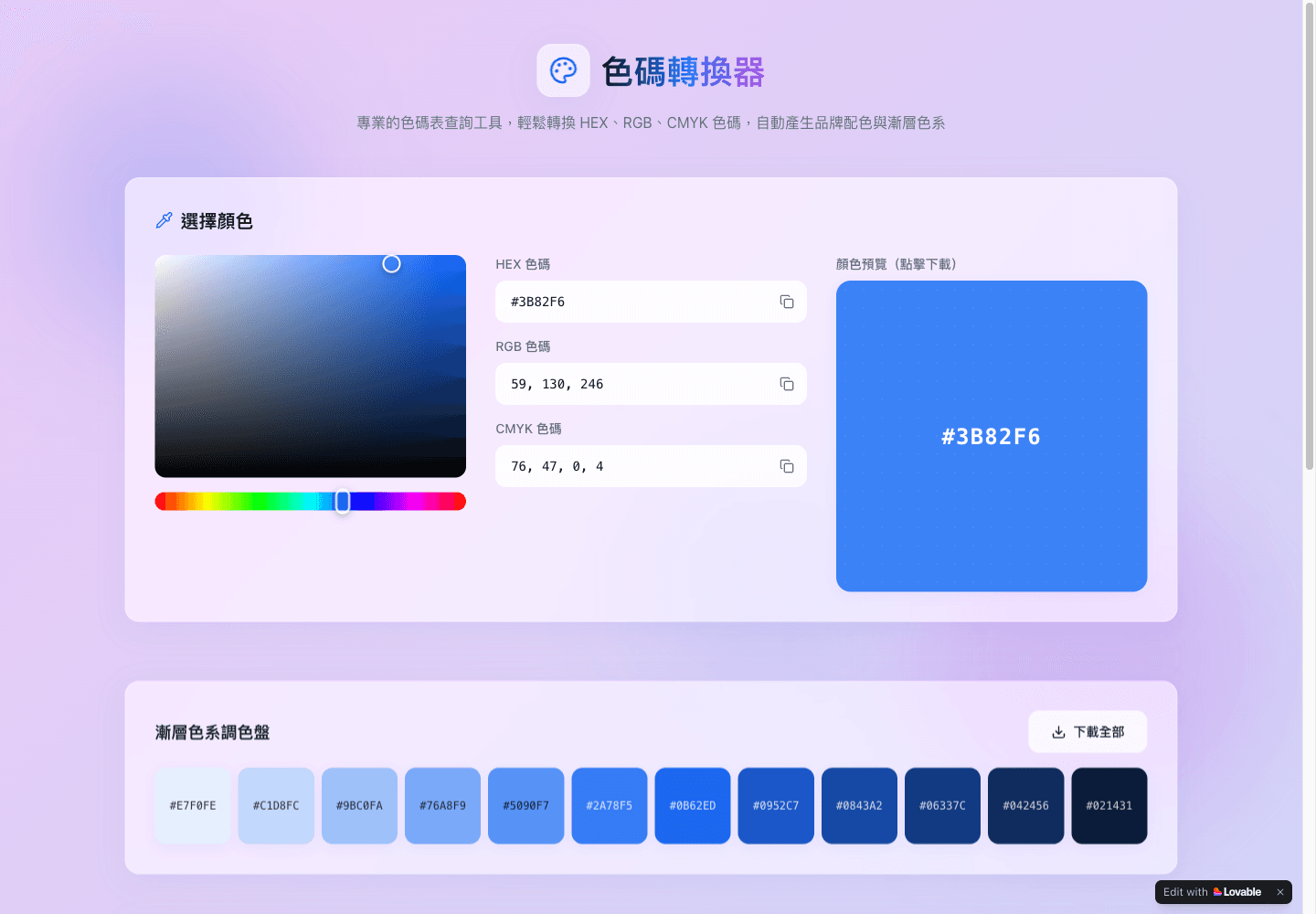
Editable HEX, RGB, and CMYK fields with a visual color picker
Live color preview and individual color-image download controls
Twelve-step gradient palette based on the selected color
Complementary, split-complementary, triadic, and analogous suggestions
Darker and lighter variations with palette download controls
Use Cases
- Look up RGB values for a HEX color used on a website
- Compare supporting colors for a brand palette
- Create gradient references for a design discussion
- Download swatches for a mood board
How to Use 色碼轉換器
- 1Open the converter and choose a color or edit a HEX, RGB, or CMYK field
- 2Commit the edited field, then check that the other values and preview have updated
- 3Review the gradient steps and suggested color relationships
- 4Use the color or palette download controls and inspect the exported file
Best For
FAQ
Which color formats are supported?
The page provides HEX, RGB, and CMYK input fields, along with a visual picker and a color preview.
Is the color code converter free?
The page describes the public converter as free. The reviewed workflow did not require an account.
How do I apply a new color code?
Edit a field and commit the change, then check the other code fields and preview. In the basic test, red #FF0000 resolved to RGB 255, 0, 0 and CMYK 0, 100, 100, 0.
Can I create a palette?
Yes. The interface generates twelve gradient steps and several color relationships, with controls for downloading colors and palettes.
Are the CMYK values a print proof?
Treat them as a convenient conversion reference. The reviewed page did not expose printer profiles or press-calibration controls; confirm final print colors in the intended production workflow.
Quick Info

Related Tools
More active tools in Design.

All SVG Icons
Browse and download 250,000+ free SVG icons for your projects that are free to use and customizable. Copy Raw SVG code or download as PNG, SVG, JSX or Base64 formats. Alternative of Flaticon, Iconmonstr, SVG Repo.

pngtocur
Convert PNG to Windows cursor files instantly. Free tool to create custom .cur & .ani cursors. Upload, preview & download - no software needed.

QuickDuck Coloring Pages
Download free printable coloring pages for kids and adults. Choose from animals, cartoons, holidays, unicorns, dinosaurs, and more. Easy-to-print PDF coloring sheets. 100% free, no sign-up required.

Design Tool Mark
DesignToolMark is your trusted guide to the best design tools and resources. Discover our hand-picked directory of UI kits, icon libraries, fonts, AI tools, and more. Stop searching, start creating.

