
Bytesweep
The cleaner that identifies your Mac's storage culprits.
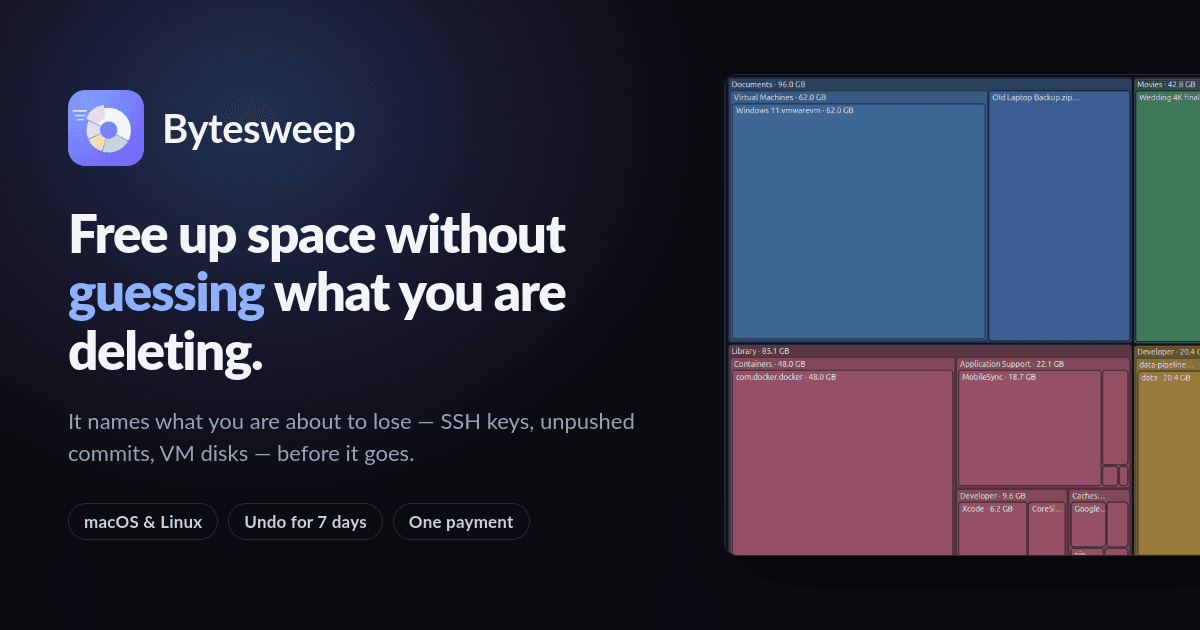
Detailed storage analysis
Undo option for deleted items for 7 days
Multiple visual representation views
Single payment for multiple devices
No account creation required
- Clearing space after software development
- Managing large Docker images
- Identifying old files that can be safely deleted
- Cleaning up AI model caches
- Freeing up Time Machine snapshots
- 1Download Bytesweep and install it on your Mac or Linux device.
- 2Launch the application and choose a drive or folder to scan.
- 3Review the visual representations of storage usage and select items to delete.
- 4Confirm choices for removal, ensuring you check warnings for important files.
- 5Use the undo feature if you accidentally delete something important within 7 days.
How does Bytesweep ensure I don't accidentally delete important files?
Bytesweep warns you about the significance of the files before deletion, highlighting what you may be losing.
Can I use Bytesweep on Windows?
No, Bytesweep is only available for macOS and Linux.
Is there a free trial available?
Yes, Bytesweep offers a 14-day free trial for Mac users.
How long can I undo deletions?
You can undo deletions for up to 7 days after they have been made.
Is there an ongoing subscription fee?
No, Bytesweep requires only a one-time payment for access.

Related Tools
More active tools in Productivity.

RemoveMark
DealFree online tool to remove watermarks from Sora videos instantly. Works without downloads. Remove sora 2 watermark with the best video tool available.

SpeedyShare
Upload a file, share the QR code or 6-digit link — done in seconds. No account, no app. Files auto-delete after 30 minutes. iPhone, Android, Mac, Windows.

SpeedyShare - Easy, free file sharing
Upload a file, share the QR code or 6-digit link — done in seconds. No account, no app. Files auto-delete after 30 minutes. iPhone, Android, Mac, Windows.

keywordranker
Dealkeywordranker is a keyword research tool centered on a free KGR calculator. It helps SEO users analyze long-tail keywords, estimate low-competition opportunities, and understand Keyword Golden Ratio strategy with supporting SEO metrics.

