
AI Prompt Tools
Generate clearer AI prompts or improve an existing one.
- All time
- — views
- — clicks
- Last 30 days
- — views
- — clicks
Loading activity…
What is AI Prompt Tools?
Key Features
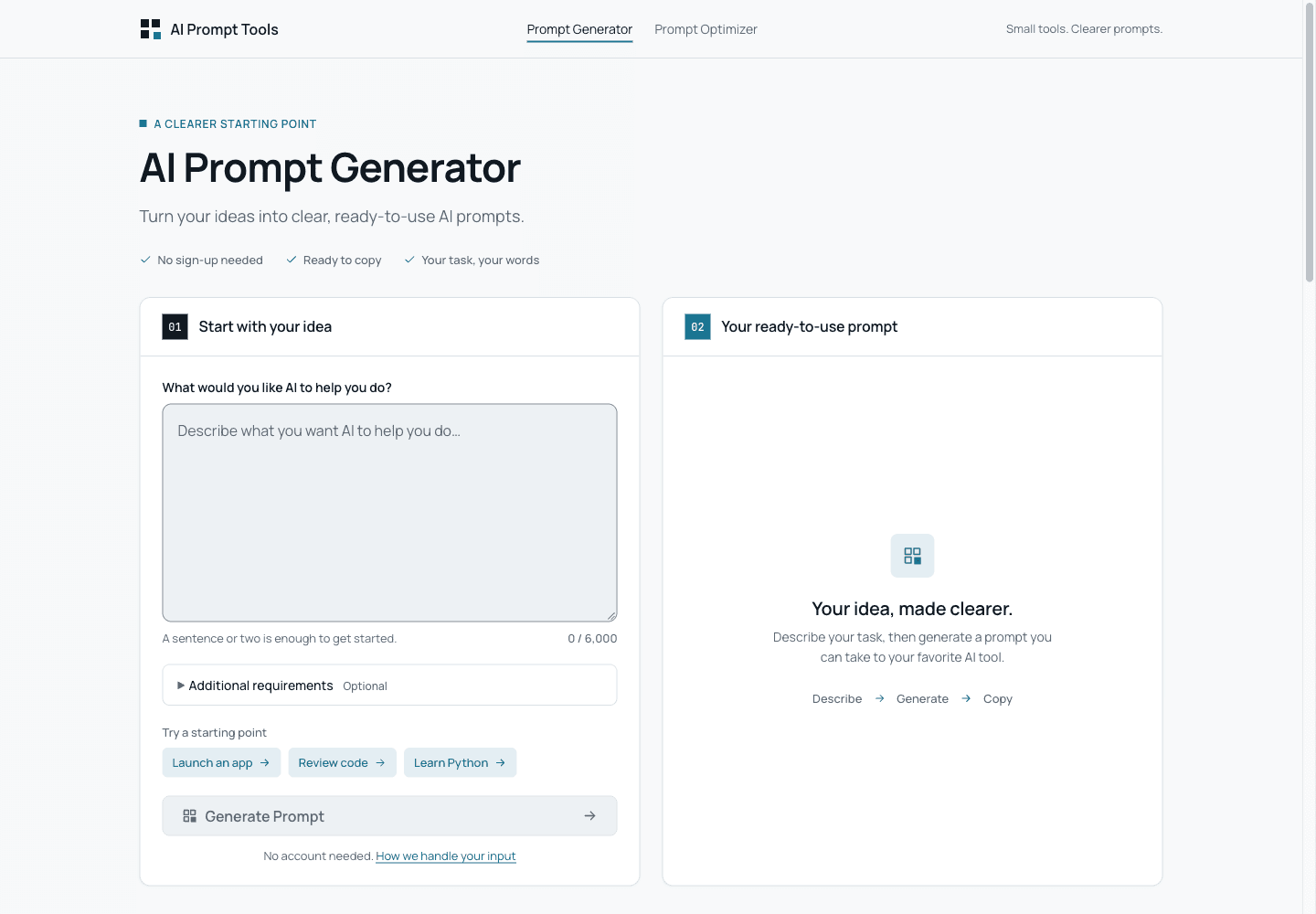
Generate a prompt from a task: Describe what you want an AI tool to do, then generate a prompt with clearer instructions and an output direction.
Revise an existing prompt: Ask for clearer wording, then check that the original goal and every stated constraint remain.
Add context and requirements: Optionally specify an audience, tone, constraints, or output format to shape the generated or revised prompt.
Review and copy the result: Inspect the prompt before copying it into an AI chat tool. Placeholders mark information you need to supply yourself.
Use with different AI chat tools: Copy the text into an AI chat tool that accepts written instructions. Results depend on the model and the information in your prompt.
Use Cases
- Turn a launch-email task description into a reusable instruction prompt.
- Rewrite a report-summary prompt while preserving word and source limits.
- Specify an output format or schema for a downstream AI chat tool.
- Plan clearer learning or code-review instructions before taking them to another tool.
How to Use AI Prompt Tools
- 1Choose Prompt Generator if you are starting with a task, or Prompt Optimizer if you already have a prompt.
- 2Describe your task or paste your existing prompt.
- 3Add any relevant audience, tone, constraints, or output format.
- 4Generate or optimize the prompt, then review it for missing facts, changed requirements, or unsupported assumptions.
- 5Replace placeholders with accurate information and copy the final prompt into your chosen AI tool.
Best For
FAQ
What does AI Prompt Tools do?
It provides a Prompt Generator for turning a task description into instructions and a Prompt Optimizer for revising an existing prompt. It creates the prompt; a separate AI tool carries out the task.
Is AI Prompt Tools free?
Yes. The public tools are free to use without an account, subject to fair-use and shared-capacity limits. Access is not unlimited.
Which AI models does it support?
The generated or revised prompts can be copied into AI chat tools that accept written instructions. The site does not claim special optimization for a particular model.
Does the Optimizer guarantee better results?
No. It proposes clearer instructions, but it does not test the original and revised prompts against a test set or guarantee better results from every model. Review and try the revision yourself. In one small check, the rewrite did not explicitly repeat a source-only restriction from the original prompt. Compare every requirement before reuse.
Are prompts processed locally, and is there a saved history?
No. Submitted text is processed through the site’s server by Cloudflare Workers AI. The site says it does not create a database of prompt inputs or outputs, a prompt history, or public sharing pages. Results remain in the current page and may be lost after refreshing or leaving. The policy separately describes fair-use records, an essential cookie, and analytics. Do not submit passwords, API keys, or unnecessary sensitive information.
Tags
Quick Info

Related Tools
More active tools in AI Tools.

Snon Lyric
Create professional songs with Snon AI Lyric Generator. The best free Suno AI lyric generator to craft unique lyrics in multiple styles & languages instantly.

Song Lyrics Review
Professional AI-powered song lyrics review and analysis tools. Learn to review lyrics, analyze song meaning, and check your reviews with expert guidance.

AI Story Generator
Need a story fast? Our AI story generator creates complete stories from prompts in seconds. New users get 10 free credits on signup — generate up to 3 complete stories for free! Best AI story generator for writers, stude.

