AI Object Remover
Erase unwanted objects from photos quickly and easily.
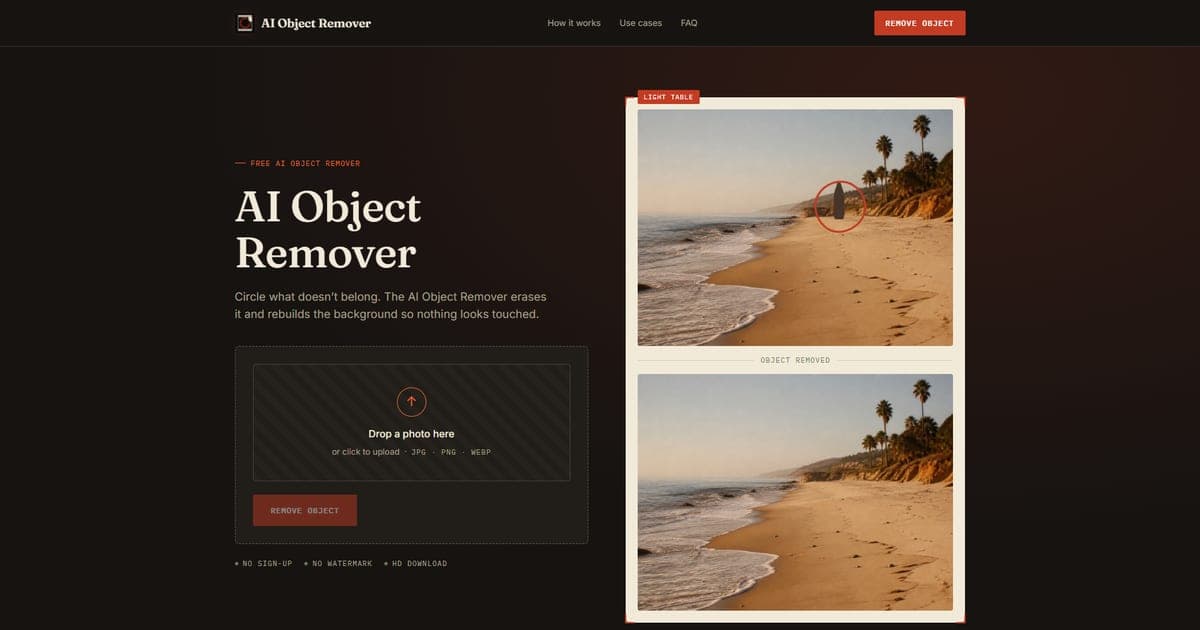
No sign-up required for use
Supports JPG, PNG, and WEBP formats
Full-resolution downloads available
Processes multiple objects in one session
Background-aware reconstruction for natural results
- Removing a passerby from a travel photo
- Clearing clutter from real estate images
- Touching up product shots for online listings
- Tidying social media posts before publishing
- Enhancing personal photos by eliminating distractions
- 1Upload your photo (JPG, PNG, WEBP, max 20MB)
- 2Circle the unwanted object in the image
- 3Click 'Remove' to process and download the cleaned photo
Is the AI Object Remover free?
Yes, uploading, marking, and downloading are completely free, with no limits on usage.
Will removing an object leave a mark?
No, the tool reconstructs the background to ensure no visible marks or traces are left.
What file formats does it support?
It supports JPG, PNG, and WEBP formats up to 20MB.
Can I use it on my phone?
Yes, it runs in a mobile browser for easy access on-the-go.
Is my photo stored after I use the tool?
No, photos are processed for the session only and are not saved after you close the tab.

Related Tools
More active tools in AI Tools.
Banana AI
Banana AI is a free AI image and video generation platform. Transform photos, create cinematic videos, apply styles, background removal, and restoration—fast and easy.

BG Remove Pro
Remove backgrounds from images instantly with our free AI tool. Get perfect transparent backgrounds in seconds - no signup required. Supports JPG, PNG, WebP formats.

Wan 2.6 AI Video Generator | JXP
DealWan 2.6 generates AI videos from text or images with multi-shot storytelling, reference video control, and native audio sync.

Editimg AI
Transform your images with Editimg AI, the most advanced ai image editor. Edit photos online with AI-powered tools for style transfer, background removal, object replacement, and more.