AI Image Expander
DealOutpaint photos to Story & Reel sizes effortlessly.
- Free core AI outpaint expands (subject to daily quotas)- Higher daily allowance after Google sign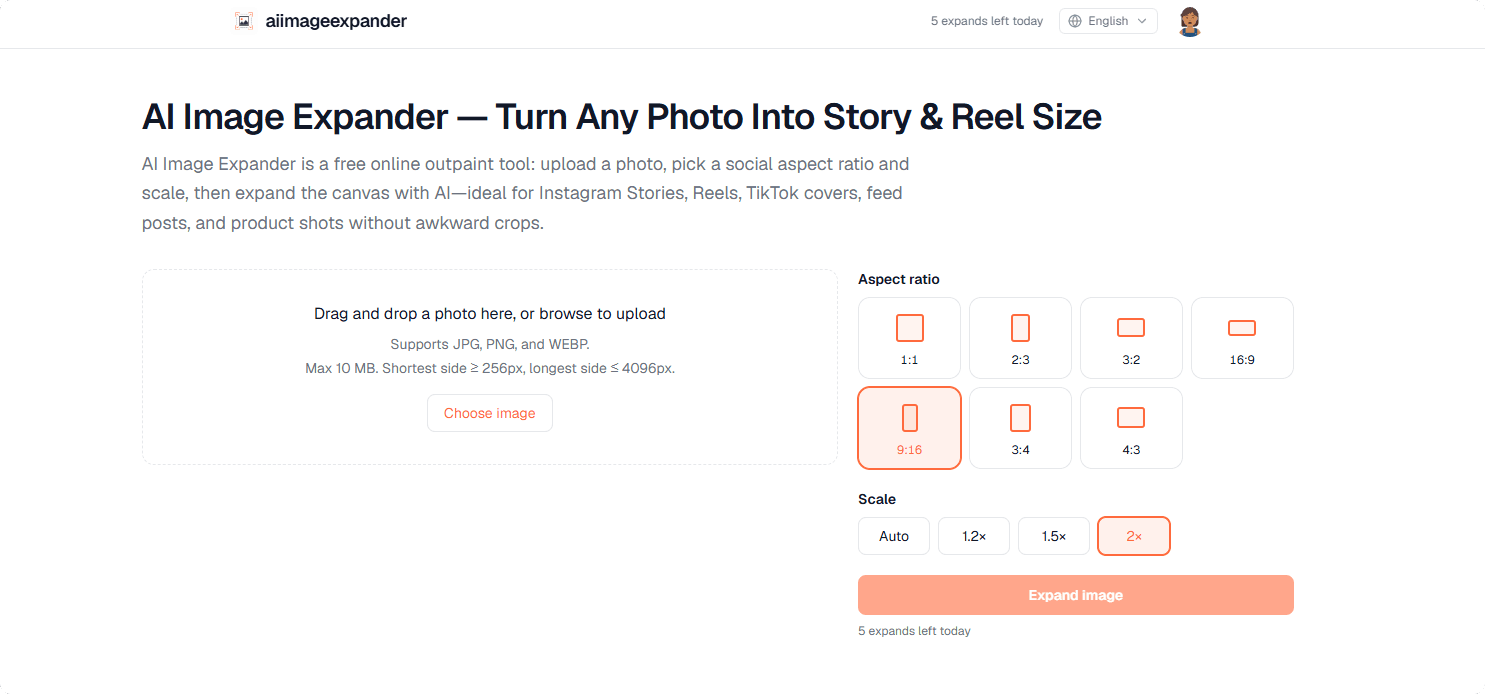
Supports JPG, PNG, and WEBP formats for expansion
Multiple aspect ratios including 1:1, 2:3, 3:2, and 9:16
Allows auto and fixed scaling options for customization
Free daily quota for users; sign-in unlocks additional features
- Expanding photos for Instagram Stories and Reels
- Creating visually appealing content for marketing
- Adapting product images for e-commerce
- Enhancing travel photos for blogs or social media
- 1Visit AI Image Expander's website.
- 2Upload your image file (max 10 MB).
- 3Select your desired aspect ratio and scale.
- 4Click 'Expand' to generate your new image.
Is AI Image Expander free to use?
Yes, it includes a free daily expand quota. Guests have a smaller allowance, while signed-in users receive more.
Does it require an account?
No, you can use it without an account, but signing in allows for tracking history and unlocking extra features.
What photo formats does it support?
It supports JPG, PNG, and WEBP formats.
Can I use it for product photos?
Yes, many users effectively use AI Image Expander to create more background for product shots.
What aspect ratios are supported?
It supports several ratios, including 1:1, 2:3, 3:2, and others, with auto or fixed scale options.

Related Tools
More active tools in AI Tools.
Banana AI
Banana AI is a free AI image and video generation platform. Transform photos, create cinematic videos, apply styles, background removal, and restoration—fast and easy.

BG Remove Pro
Remove backgrounds from images instantly with our free AI tool. Get perfect transparent backgrounds in seconds - no signup required. Supports JPG, PNG, WebP formats.

Wan 2.6 AI Video Generator | JXP
DealWan 2.6 generates AI videos from text or images with multi-shot storytelling, reference video control, and native audio sync.

Editimg AI
Transform your images with Editimg AI, the most advanced ai image editor. Edit photos online with AI-powered tools for style transfer, background removal, object replacement, and more.